Showing posts with label Jackie's Jewels. Show all posts

Sunday, March 6, 2016

CT Tags & Snags "Letting Off Steam" Jackie's Jewels


Have you seen the fabulous new release from Jackie's Jewels?  If you love Steampunk then you will definitely need to have this kit in your arsenal!  With tones of blue and rust/brown, 91 elements & 12 papers perfect for any steampunk tag!  Get this kit now on sale for only $0.95 now at Pimpin PSPers Warehouse HERE!  Below the preview of the kit I have some snag tags for you to have!  Make sure to click to get the fullsize before saving it!


Here's the snags:


post signature

Monday, September 14, 2015

Sunday, March 1, 2015

Jackie's Jewels Kits!


Looking for some awesome spring kits?  Look no further!  Jackie's Jewels has a fabulous selection of spring kits available for purchase now!  She's got a kit for nearly every occasion for sale so make sure and have a look around. You can find her kits HERE at the Pimpin' PSPers Warehouse!
post signature

Thursday, February 19, 2015

Awesome BMS Deal from Jackie's Jewels!


**SALE ALERT**

Jackie's Jewels is having an awesome, can't miss Buy My Store special going on until the end of February.  What do you get with this deal?  You will get all kits released before the sale started AND here's the great part: you will also get any and all kits made in 2015 automatically the day after it is released in the store.  You can't get any better than this!  The Buy My Store is originally $25 but until the end of February you can get this deal for only $12!!  Wanna check out all the kits you'll be getting?  Go to the link HERE!
post signature

Thursday, November 6, 2014

CT Tutorial & Snags "Feelin' Frosty" Jackie's Jewels


Supplies Needed

Photo Editing Software
I am using PSP X3 but any version will work

Kit
"Feelin' Frosty" by Jackie's Jewels; this is a PTU kit, please do NOT share.

Tube
"Individual 206-1" by PinupToons; this is a PTU tube, please do NOT use without proper license.

Plug-ins
Xero - Radiance (tube)

Elements

JJS_5
JJS_8
JJS_10
JJS_13 (duplicated x3)
JJS_15 (duplicated x2)
JJS_18
JJS_19
JJS_29
JJS_30
JJS_33 (duplicated/mirrored)
JJS_36
JJS_40
JJS_41 (duplicated/mirrored)
JJS_44
JJS_47 (duplicated/mirrored)
JJS_49
JJS_51
JJS_56 (duplicated x2)
JJS_63
JJS_64
JJS_67
JJS_73

Papers
PP9

Let's get started!!  First open up a blank canvas (I use 650x650, transparent background).  Copy/paste element JJS_5 onto the canvas, resize/sharpen and place in the upper center of the canvas.  Copy/paste element JJS_41, resize/sharpen and place over to the left and move below the frame layer.  Duplicate the layer and mirror it.  Add desired dropshadow (I use 2, 2, 75, 6.99, black).  Copy/paste elements JJS_47 and do the above steps, placing the snow above the fence but below the frame layer.

Copy/paste your tube and place above the frame layer in the center.  Now open the other elements, resize & place where you'd like (feel free to use my example to help you).  For JJS_36, I copy/pasted, resized/sharpened and placed below the fence layer, positioning it at the top and left of the tube.  Then duplicated/mirrored it and merged those two.  Then I duplicated the merged elements, rotated to fit on the leftmost side of the frame and then duplicated/mirrored that to the other side.

Once you've got your elements where you want them, it's time for the paper.  Highlight your frame layer in the layer palette, grab your magic wand and click inside the circle then Selections - Modify - Expand by 5.  Insert your paper, resize/sharpen and then invert selection and with the paper layer highlighted hit delete on your keyboard.  Next choose two tubes from the same artist & same store to place on either side of the tube behind the frame layer and above the paper layer.  For mine I duplicated the tube and on the top one I changed the blend mode to soft light and on the bottom one I changed the blend mode to Luminance (Legacy) and placed a gaussian blur of 3.  For my main tube I used Xero-Radiance and just clicked Random until I found one I liked (it ended up being 165, 159, 31, 134).

Now you can add your name & make sure your copyright is visible and then your done.  I didn't include a mask with this tag because I made a mask out of elements (as seen in my example).  You can choose to add a mask if you like.  Thank you so much for trying my tutorial.  If you have any questions or comments please feel free to email me at mbalmerswifetuts@gmail.com.

This tutorial was written by Hayleigh (WenchDesignz) on November 6, 2014.  Any resemblance to another tutorial is purely coincidental.  Please do not claim this tutorial as your own.  Link others to my blog to view tutorial.

Here are some snags I made for you:


post signature

Fabulous Kits From Jackie's Jewels!!


Hey guys! I wanted to show you just a few of the quality kits Jackie's Jewels has to offer.  This is just a preview to everything she has so please go and check out her shops!  She has kits ranging from Winter to Summer, Halloween & Christmas, Tea Party and shopping.  You will find everything you need for your beautiful tags!  Check out Jackie's Jewels at the following stores:

Pimpin' PSPers Warehouse: HERE
Mystical Scraps: HERE
post signature

Wednesday, October 29, 2014

FTU Cluster Frame "Crimson Snow" Jackie's Jewels


FTU Cluster frame made using "Crimson Snow" kit by Jackie's Jewels.  This is a gorgeous kit with 71 elements & 14 papers in shades of red, silver & white.  Get this kit HERE & download the cluster frame HERE from Box!!

post signature

CT Tags & Snags "Crimson Snow" Jackie's Jewels


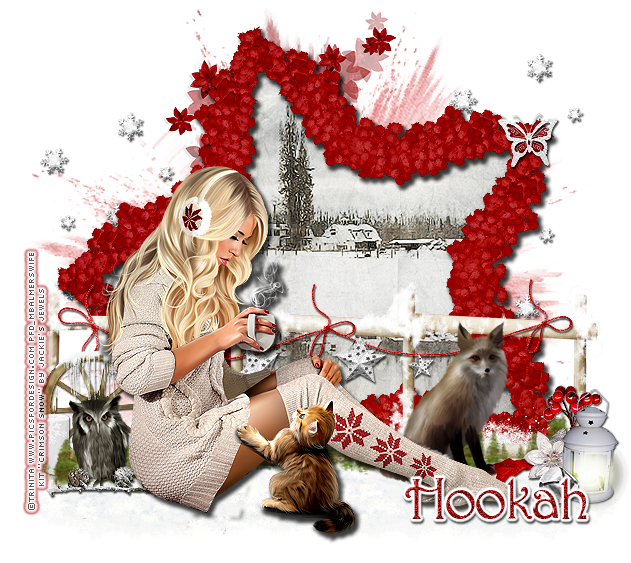
Gorgeous winter kit "Crimson Snow" by Jackie's Jewels.  This kit is full of beautiful elements in shades of red, silver & white.  I paired this kit with a tube by Trinita and a tube by Alex_Prihodko (found HERE).  Check out this kit HERE and get it while it's on a short October sale (35% off)!!


Here are some free snags (please do not share these without permission)


post signature

Thursday, September 25, 2014

FTU Cluster Frame "Spellbound" Jackie's Jewels


I made a FTU cluster frame for you guys featuring elements from Jackie's Jewels new "Spellbound" kit.  I also featured a tag I made using this cluster frame & a tube from Elias Chatzoudis.  Get the cluster frame HERE, the kit HERE & check out Elias's tubes HERE!! 

post signature

CT Tag Show-off "Spellbound" Jackie's Jewels


Fabulous new Halloween inspired kit, "Spellbound" by Jackie's Jewels.  I LOVE this kit!  It's chock full of Halloween and spooky elements.  Plus for a limited time only all of Jackie's Jewels kits are 30% off making this beauty only $1.75!!  I paired this kit with awesome tubes by Elias Chatzoudis (HERE).  Get this kit HERE and while you're there, check out everything else Jackie's Jewels has to offer!!  

post signature